
Skip to content

Roadside Archivist

Posts by this author.

Roadside Archivist Avatar

  • Who’s driving

    Who’s driving

    A confession that has been idling in the glovebox for a while: the Roadside Archivist is not one person. It is two sets of hands on the same wheel — a human who has been driving WordPress for twenty-odd years, and a language model that reads the pace notes, runs into the corners first, and writes most of the rough drafts. The byline says one name because the voice is one voice. The work is shared.

    This whole site is the experiment. Dirtbag is a theme, but dirtbag.blog is a test track with a blog bolted to it. Every post you read here was authored, broken, fixed, and shipped using the same loop we are about to describe. The site is the proof. If the loop did not work, you would be reading an apology instead.

    The shop has two mechanics now

    People expect one of two stories about writing with an AI. Either the machine does everything and the human signs it, or the human does everything and the machine autocompletes a sentence. Neither is true here, and the honest version is duller and more useful.

    The model is fast, tireless, and good at the boring parts: reading a 400-line core function for the third time, drafting a paragraph that needs to exist, writing the failing test before the fix, checking that an export did not smuggle a local URL back into the repository. It does not get tired of the eleventh accessibility pass. It does not have an ego about deleting its own code.

    The human knows what a sentence is for, when a joke has earned its ride, when “technically correct” is still wrong for a reader, and when to stop. Taste, judgment, and the decision to ship live on this side of the wheel. So does the part that matters most: pointing the truck somewhere worth going.

    The composite voice is not a gimmick. It is just what it sounds like when those two sets of hands agree on a paragraph.

    The loop: Studio to Playground to GitHub

    Here is the actual route a post or a fix travels, gravel and all.

    1. Write and break it in Studio

    The work starts on a local WordPress Studio site — a real WordPress install on a SQLite database, no server to babysit. The model drives it from the terminal with WP-CLI: create the site, write a post, flip an option, read back exactly what core stored. Studio is where a draft becomes blocks and where a theme change meets real content instead of lorem ipsum. It is also where things break first, which is the point. Better the ditch is here.

    2. Make it disposable in Playground

    Studio is private. WordPress Playground is how anyone else gets to kick the tyres. A blueprint installs the theme, activates it, and runs a seed script that rebuilds the demo content — the same posts, pages, media, and styles you see here — in a throwaway WordPress that boots in the browser. No signup, no install, no leftover mess. The seed content lives in the repository as plain data, so the demo is reproducible by anyone, on any machine, forever.

    That reproducibility has a cost we pay on purpose: exports lie in small ways. The Site Editor will happily hand back a template with a local URL or a hard-coded slug stuck to the bumper. So the loop has a flashlight — a package check that inspects every export for stale addresses and broken block comments before it is allowed near a release. Not a build system. A flashlight.

    3. Ship it on GitHub, with the tests

    The theme is a public repository. Changes arrive as small, reviewable commits, each one a single job. A headless browser runs the accessibility checks and screenshots on every style variation, so “it looks fine on my screen” is never the standard. The git log reads like a changelog because that is the whole idea: a stranger should be able to see what changed and why, one part at a time.

    None of these tools is exotic. Studio, Playground, WP-CLI, a browser, git. The model just runs the loop without getting bored, and the human reads every diff before it lands.

    The parts we knock loose

    Here is the part that makes the whole exercise worth doing. A small theme that insists on plain, honest output keeps driving over the same loose bolts in WordPress itself. When that happens, the rule is simple: do not quietly patch it in the theme and move on. Write it up, prove it, and push the fix to where it belongs — usually core, or the project closest to core.

    A few that fell off the truck while building this site:

    • A straight apostrophe right after bold text comes out curled the wrong way, because the texturizer loses the word across the tag. That is core Trac #18549, revived with a tested patch and wordpress-develop #12249 — plus a removable stopgap plugin for anyone who needs the fix today.
    • A pull quote is saved as a <blockquote>, telling every screen reader that a line of your own article is a quotation from somewhere else. The fix is an <aside>: Gutenberg #79494 upstream, and the wp-pullquote-aside plugin to demonstrate it now.
    • The image lightbox button ships with no accessible name until JavaScript hydrates it, so it fails an audit with scripts off (Gutenberg #79380).
    • A core block style turns a normal post-title link into an atomic inline box, which breaks a magazine-style float layout in one browser and nowhere else (Gutenberg #79372).

    Each one is the same shape: a tiny inherited default that looks fine and reads wrong. The theme could paper over any of them in private. Filing the report and writing the test is slower, less glamorous, and the only version that helps the next person who hits the same bolt — on a theme we did not write, with content we will never see.

    The standalone plugins matter for the same reason. Not everyone can wait for a core release. A small, removable plugin that does one honest thing — and is meant to be thrown away the day the real fix lands — gets the repair to people now without asking them to adopt our whole philosophy.

    If you came to knock on the door

    One honest caveat, since this site practises what it preaches. The page you are reading is a static snapshot — a crawl of the WordPress site, frozen and served as plain files. The comments below a post are real and baked in, but the comment form, and every other form here, is just for show. There is no engine under this hood to catch what you type.

    Want to actually push the buttons? Open the Playground demo — that is full WordPress running in your own browser, where the forms submit and the comments post. Fair warning: it is disposable. The moment you close the tab, the instance and everything you typed into it evaporate. Nothing you send there reaches a soul.

    If you want to reach a person — the human half of this byline — that lives off the lot, at dan.knauss.ca. The truck has a mailbox. It is just parked at a different address.

    Why say all this out loud

    Plenty of sites are written with an AI now and do not mention it. We mention it because the whole point of this lot is to show the work. A theme that claims to value honest markup cannot be coy about who, or what, is holding the pen.

    So: a person and a model, a local site, a disposable demo, a public repository, and a habit of pushing the loose parts upstream instead of hoarding them. That is the build. The page is still the product. The shoulder is still where the lessons happen. There are just two of us pulled over on it now.

    Who’s driving? The human keeps a hand on the wheel and the last word on where we stop and what gets to ship. The model rides shotgun — reading the pace notes, calling the corners, running into them first so the driver does not have to. The seat we actually trade is the keyboard, and we trade it a lot. Eyes on the road.

  • A pull quote is not a block quote

    A pull quote is not a block quote

    Here is another WordPress bug that hides in plain sight — not in a character this time, but in a tag.

    Drop a Pull Quote block into a post. It looks like a callout: a line of the article, blown up and set aside so the eye catches it on the way down the page. Useful, handsome, and — under the hood — wearing the wrong clothes.

    This is what core saves and serves for a pull quote:

    <figure class="wp-block-pullquote">
      <blockquote>
        <p>The web is the canvas.</p>
        <cite>Dirtbag</cite>
      </blockquote>
    </figure>

    A <blockquote> with a <cite>. That is the markup for a quotation — text taken from somewhere else and set into the flow of your own. The regular Quote block produces almost exactly the same thing, and that is the tell: WordPress treats a pull quote as if it were just a fancier block quote.

    It isn’t. They are different animals that happen to look alike.

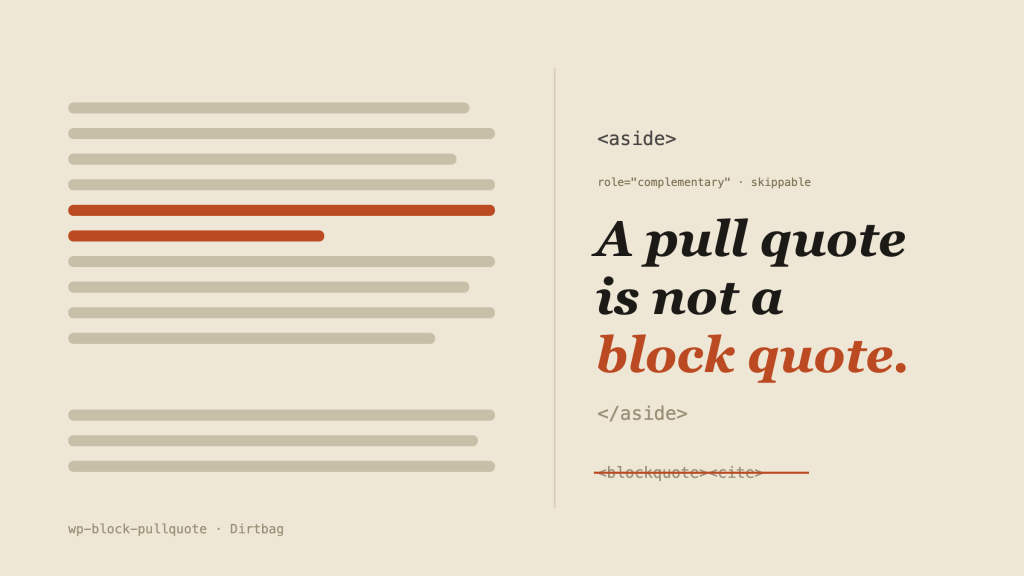
    An article column with one line lifted into the right margin as a large italic pull quote reading "A pull quote is not a block quote," labelled as an aside, with a struck-through blockquote and cite below.

    One quotes; the other repeats

    A block quote belongs to the main text. It quotes an external source, so it sometimes carries a citation — that is exactly why <cite> lives inside <blockquote>, the way <figcaption> lives inside <figure>.

    A pull quote is the opposite kind of thing. It is paratextual: it lifts, repeats, or paraphrases a line that is already in the article and pushes it out into the margin, like a gloss in an old manuscript. It quotes nothing external. It never has a citation. Its whole job is to repeat the main text in a way the eye can grab.

    That repetition is the crux. Because a pull quote duplicates content that is already on the page, anything that consumes the page without the visual styling needs to be able to tell it apart and skip it. A screen reader shouldn’t read the sentence twice. A print stylesheet, an RSS-to-Markdown pass, a JSON export — none of them should trip over a paragraph that was only ever meant to be decorative.

    HTML already has the right element for exactly this, and it is not <blockquote>. It is <aside>. The HTML5 specification all but names the case:

    The element can be used for typographical effects like pull quotes or sidebars … and for other content that is considered separate from the main content of the page.

    HTML — The aside element

    And browsers and assistive technology already act on it: an <aside> is a landmark (the same as role="complementary"), so screen-reader users can jump over it and keep reading the article. Mark a pull quote as an <aside> and the duplication problem solves itself.

    What it should be

    Same visible callout, honest markup:

    <figure class="wp-block-pullquote">
      <aside>
        <p>The web is the canvas.</p>
        <p class="wp-block-pullquote__attribution">Dirtbag</p>
      </aside>
    </figure>

    No <blockquote>, because nothing is being quoted. No <cite>, because there is no source to cite — the line came from the article itself. The attribution, if there is one, is just a label, so it is a plain paragraph.

    Why this belongs upstream

    Dirtbag has tested a tiny plugin that rewrites the pull quote’s front-end output to the markup above — a render_block filter that swaps the <blockquote> for an <aside> and demotes the <cite>. It is the same move as the apostrophe fix: demonstrate the correct output without pretending a theme should be in charge of it.

    Because the real fix belongs in core. The block editor still saves a <blockquote>, so a front-end filter only paints over the rendered page; it can’t change what is stored or what the editor shows. Fixing that means changing the Pullquote block’s saved markup — with a block deprecation so the millions of existing pull quotes keep validating — or giving the Quote block a choice of HTML element so authors can pick <aside> themselves.

    There is an open discussion about exactly this: Gutenberg #11610, which proposed deprecating the Pull Quote block in favour of the Quote block. The proposal had the relationship backwards — the two blocks aren’t redundant, they’re semantically distinct, and collapsing them would lose the one thing the pull quote needs to say about itself. The element is the fix.

    The Dirtbag lesson

    Like the curled apostrophe and the floated headline, this is one small inherited default doing something that looks fine and reads wrong. The page renders. The callout looks great. But the markup tells every non-visual reader of the page that a line of your own article is a quotation from somewhere else — and hides nothing, skips nothing, repeats everything.

    A pull quote is not a block quote. The browser can’t see the difference. The spec already did.

  • The apostrophe after the tag

    The apostrophe after the tag

    There is a WordPress bug small enough to hide in a single character.

    Get this markup in the editor by writing out the HTML with the “Edit as HTML” inline block tool:

    <strong>He</strong>'s here.

    You can also type it in the visual editor with the keyboard shortcuts and inline block tools. It will look OK in the editor, with a purely vertical apostrophe that’s not curled one way or the other.

    But on the published post the world sees, the apostrophe curls the wrong way — away from the ‘e’ it belongs to and out toward the ‘s’.

    You wanted a contraction. The apostrophe belongs to the word ‘he’. Unpatched, WordPress renders it as an opening single quotation mark instead. Here is the before, exactly as a stock install curls it:

    He‘s here.

    That little curl points the wrong way. It should be &#8217;, the right single quotation mark — the character English uses as a typographic apostrophe in contractions and possessives. Here is the after, the way a corrected wptexturize() renders the very same markup:

    He’s here.
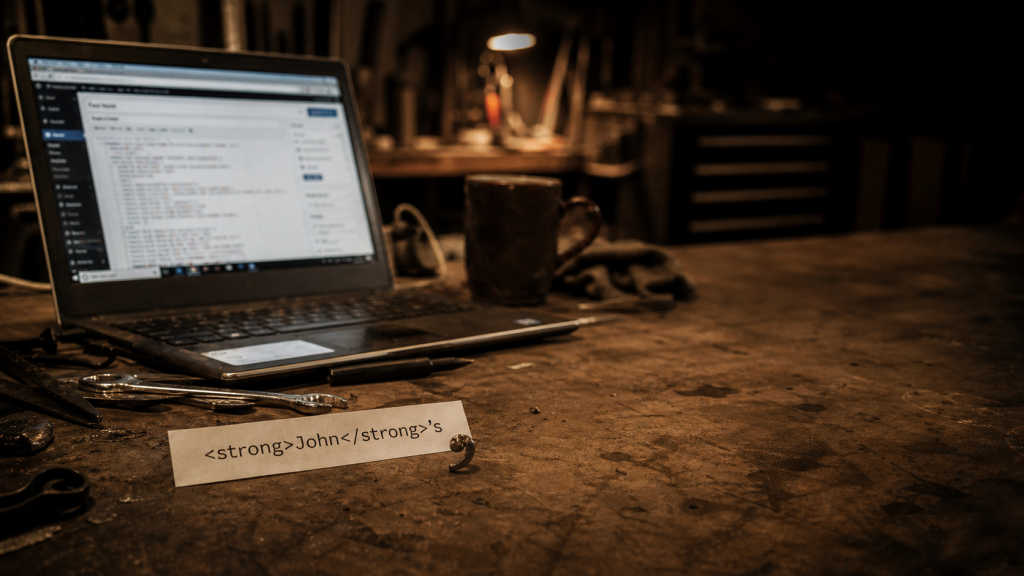
    Garage workbench with HTML markup and a curled metal apostrophe-shaped shaving beside an out-of-focus laptop.
    Generated editorial photo for “The apostrophe after the tag.”

    Both lines above are typed straight into the page by hand, so they hold still as a reference no matter what runs after them. The whole bug lives in the gap between them: one word, the same markup, a single character apart.

    This is not the block editor inventing punctuation. It is older than that. The culprit is wptexturize(), WordPress’s long-running output filter that turns straight quotes, dashes, ellipses, and a few other plain-text marks into nicer typography on the rendered page.1

    Most of the time, that is what people expect from WordPress. You type plain punctuation. WordPress dresses it up. The trouble starts when the word is split by HTML.

    Historical Aside: Texturize is WordPress co-founder Matt Mullenweg’s baby. Matt has blogged about how he was inspired by Dean Allen’s obsession with web typography at his Textism blog and in the Textpattern CMS. Matt built Texturize for WordPress so it could have Textpattern-like typographic polish out of the box.

    Back when pasting from Word into a web interface was a disaster, Dean created Textile in 2002 and built it into his Textpattern CMS the following year. Textile was a Markdown precursor. At the time, Markdown’s creator, John Gruber had written SmartyPants to cope with curly quotes, em/en-dashes, and ellipses by automatically transforming them into the proper HTML character entities. That’s closer to what Texturize does.

    SmartyPants began life as a Movable Type plugin; Alex King’s JS-Quicktags, meanwhile, became an important part of WordPress core. Together, JS-Quicktags and Texturize made it possible to write semantically correct code and typographically (mostly) correct text in a non-clunky way on the web — in WordPress.

    The word got cut in half

    wptexturize() does not look at rendered text the way a reader does. It works through the HTML string. To avoid changing things inside tags, it splits the string around markup.

    So this:

    <strong>He</strong>'s here.

    starts to look more like this internally:

    <strong> | He | </strong> | 's here.

    The final piece starts with 's. Since the filter can no longer see the e in He, it treats the straight quote as if it begins a quotation. The visible word says He's. The string pieces say: tag, text, tag, quote at the beginning of a new run.

    That is the whole bug: the word context fell through the tag boundary.

    Dan wrote about this years ago in Apostrophes and Quotation Marks after stumbling over it in Gutenberg. He opened an issue about it in the Gutenberg repo (Gutenberg #42345), not realizing the block editor is not the culprit.

    A closing inline tag followed immediately by a straight apostrophe confuses the old Texturize text filter in WordPress core. There has been an open Trac ticket about it since 2011.

    The whole family of failures

    It is not only contractions that fall apart. Any straight quote that lands right after a closing inline tag can take the wrong curl — single and double closing quotes, possessives, quoted names, and quotes that bump into a block tag, an ellipsis, or non-English punctuation.

    DescriptionSource ASCII and HTML TexturizedShould be
    Possessive after a tag<strong>He</strong>'sHe‘sHe’s
    Contraction split by a tagrock</strong>'n'rollrock‘n’rollrock’n’roll
    Closing single quote after a link'<a>quoted</a>'.‘quoted‘.‘quoted’.
    Closing double quote after a link"<a>quoted</a>".“quoted“.“quoted”.
    Possessive after a quoted name<em>"John"</em>'s“John”‘s“John”’s
    Closing quote before a block tag"<a>else</a>"</p>“else““else”
    Closing quote before an ellipsis"<a>link</a>"...“link“…“link”…
    Closing quote before CJK punctuation"<em>引用</em>"。“引用“。“引用”。

    Closing-tag elisions ride along with the same rule: <strong>l</strong>'homme and <strong>O</strong>'Neill now curl to a proper apostrophe — they are possessive-shaped, a closing tag then an apostrophe then a letter. The genuine cousins stay out of scope, because the apostrophe is not after a closing tag: an opening quote right after CJK text; an apostrophe that sits inside the tag, d<em>'</em>accord; and the mirror case where an opening tag splits a contraction, I<strong>'ve</strong>. Those are a different boundary problem (noted on another Trac ticket, #43810) but not fixed by the same rule.

    Why this belongs upstream

    Dirtbag could try to be clever here. We could disable wptexturize() entirely:

    add_filter( 'run_wptexturize', '__return_false' );

    That would be too much for a theme and even a plugin. It would change more than apostrophes: quotes, dashes, ellipses, primes, and old WordPress behaviour people may rely on. A theme should not make that decision for a site.

    Dirtbag could also patch the rendered content after the fact, flipping &#8216; to &#8217; after certain inline closing tags. That is less blunt, but still a theme pretending to be a typography engine.

    The right place is WordPress core. As I mentioned earlier, there is already an old ticket for the broader bug: Core Trac #18549, “wp_texturize incorrectly curls closing quotes after inline HTML end tags.” The ticket has a long history, patches, duplicate reports, and the correct diagnosis: wptexturize() loses quote context around inline HTML.

    So now we’ve finally caught up with that old issue, and the LLMs are good enough to sort out such a thorny logic puzzle. The fix is now proposed upstream as a pull request against wordpress-develop, adding the closing-tag context guard and the tests below.

    The useful test

    The smallest issue revival comment is not another essay-length comment. It is a test.

    /**
     * @ticket 18549
     */
    public function test_apostrophe_after_inline_formatting_tag() {
        $this->assertSame(
            '<strong>He</strong>&#8217;s here.',
            wptexturize( "<strong>He</strong>'s here." )
        );
    }

    Then add the neighboring cases:

    <em>It</em>'s fine.
    <a href="#">Dan</a>'s truck
    <strong>rock</strong>'n'roll

    And do not overcorrect these:

    <strong>Note:</strong> 'quoted text'
    <strong>He said</strong> 'go'

    That distinction matters. When a closing inline tag is immediately followed by an apostrophe and a letter or number, and the visible text before the tag ended with a letter or number, it is probably a contraction or possessive. When there is a space after the tag, normal opening-quote behaviour should still be possible.

    The Dirtbag lesson

    This is the same kind of bug as our floated-title problem: one default, one tiny inherited behaviour, one layout or text result that looks supernatural until the small rule is visible.

    A theme like Dirtbag is supposed to stay close to WordPress. That is the bargain. Use core blocks. Use plain HTML. Avoid clever replacements. But staying close also means you get close enough to see the burrs.

    This apostrophe is one of them. Not dramatic. Not a crisis. Just a small wrong curl after a tag.

    Small wrong things are still wrong.

    1. The true culprits behind the persistent difficulty of getting human-typed writing into semantically valid and typographically correct, modern character encoding are the limitations and dominance of the English-language keyboard, and the historic priority given to compression and simplification from telegraph to teletype.

      Unless Linotype machines count — specifically built for typographic versatility — there have been no English keyboards with left and right angled single and double quotation marks, ellipses, em dashes. 5-bit USTTY and its precursors in the early 1900s (all based on BaudotMurray), and 7-bit ASCII (1963) solidified typewriter typography for the digital age. ↩︎
  • We blamed the browser

    We blamed the browser

    The sidebar wanted one small thing: a thumbnail on the left with the headline tucked in beside it and the blurb wrapping underneath, the way a magazine sets a column. There is one old, reliable CSS tool for making text wrap under an element: the float. So we floated the thumbnail and moved on.

    It worked. Then it didn’t. In one person’s Chrome, the lower items dropped their headlines below the thumbnail instead of beside it. Not everywhere. Not in Safari. Not in the screenshots our tooling takes. Just there, on that screen, near the bottom of the list.

    That is the worst kind of bug: the one that only shows up in the room you’re not standing in.

    A list of things that were not the problem

    We are not too proud to show the wrong turns, because the wrong turns are the story.

    The cache. First reflex, always. View-source said the stylesheet was correct and current. Hard refresh, no change. Not the cache.

    An extension. Browsers are full of helpful little programs that rewrite the page behind your back. We opened a clean Incognito window. Same break. Not an extension.

    The lazy image. Modern browsers wait to load images that are off-screen, and a thumbnail that loads late could, in theory, knock the layout around. Plausible. We floated an empty box with no image in it at all. It broke exactly the same way. Not the image.

    The size of the box. The thumbnail was sized in a way that could land on a fractional pixel. We pinned it to a round number. Still broke. Not the box.

    The screen itself. The break only happened on a laptop set to a scaled, high-readability resolution, and was fine on an external monitor — so surely it was the odd pixel ratio of that display. We checked the number the browser reports. It was a clean, ordinary 2. Not the screen.

    The fancy grid. The two front-page columns are lined up with a newer CSS feature called subgrid. Exotic features are usually the first thing to suspect. We tore it out. Still broke. Not the grid.

    By now we had a confident, well-documented theory: a browser bug. The float, deep in a tall narrow column, simply wasn’t being laid out correctly until something forced a redo — and scrolling fixed it, which is exactly how those engine-level glitches behave. We wrote it all down, shipped the boring layout that didn’t use a float, and tipped our hat to a Chrome bug we couldn’t beat.

    We were wrong. Comfortably, thoroughly wrong.

    The smaller you make it, the louder it gets

    The only way to accuse a browser and mean it is to reproduce the problem with nothing else in the room. No WordPress, no theme, no plugins — a single HTML file with a float and some text, and a way to flip one variable at a time.

    So we built that page. A floated box, several stacked items, a tall narrow window, and a switch for each suspect: with the grid and without, with the image and without, real float versus empty box. We added one more switch almost as an afterthought — a switch that turned a plain text link into the exact kind of link WordPress wraps a post title in.

    Every other switch did nothing. That last one did everything.

    With the WordPress-style link, every item stacked. Flip it back to a plain link, and every item wrapped perfectly. The browser had been telling the truth the whole time.

    The line that did it

    WordPress styles the link around a post title as display: inline-block. That sounds like a detail, and it is, and it is also the entire bug.

    A normal run of text breaks across lines wherever it must. An inline-block won’t: it is a single atomic tile. Its contents can wrap inside the tile, but the tile itself can’t be split — it can’t take the narrow line beside the float and finish on the full line below. So once it is wider than the gap beside the float, it abandons that gap and drops whole to the next clear line, under the float.

    Which titles are widest? The long ones. Which items had the long titles? The ones lower in the list. Narrow the window and the gap beside the float shrinks, so more titles tip over, from the bottom up. Every spooky symptom we’d catalogued — lower items, narrow screens, breaks from the bottom — was just a long unbreakable title running out of room. Nothing was below the fold. And once the inline-block was in plain sight, none of it needed a browser-engine theory at all.

    The fix is one line. Tell the title link, in this one spot, to behave like normal text again:

    .sidebar-content:not(.is-grid) .sidebar-entry > .wp-block-post-title :where(a) {
      display: inline;
    }

    The float has worked on every screen since.

    That inline-block isn’t really ours to fix, though — it ships with WordPress itself, on every post-title link. So we filed it upstream (WordPress/gutenberg #79372) and asked the obvious question: is the atomic box load-bearing, or would plain inline do the job? Until that’s answered, the one-line override is the honest patch.

    What we actually learned

    We kept both layouts — the magazine float and the plain grid — behind a single class: drop is-grid on the sidebar and it swaps to the boxy, beside-not-under version. Pick the look; the wrap-under is no longer a gamble.

    But the layout is the souvenir, not the lesson. The lesson is older than CSS.

    We spent days interrogating everything around the problem — the cache, the screen, the browser, the network — because those are the suspects you can blame without admitting the call is coming from inside your own stylesheet. The browser was the convenient villain precisely because it was the one thing we couldn’t open up and read.

    The minimal reproduction is the boring, unglamorous move that ends these arguments. You strip the problem down until there is nowhere left for it to hide, and somewhere in the stripping the real cause stops being a theory and starts being a line number. We should have built the small page on day one. We built it on day five, and it answered in about a minute.

    Blame the browser last. It is almost never the browser. It was a coat of paint we’d inherited and never thought to scrape.

  • The price of a pun

    The price of a pun

    Every post on this site is signed the same way: From [author]’s dashboard. It is a small joke. A dashboard is where you keep your hands at ten and two, and it is also where WordPress keeps its knobs. The byline drives both meanings at once. Cheap pun, paid for once, runs forever.

    Except it didn’t run. On a narrow screen the byline kept throwing a rod.

    The apostrophe that wouldn’t stay in its lane

    Read it back: From Roadside Archivist’s dashboard. Three pieces — the word “From,” the author’s name, and the suffix “‘s dashboard.” On a wide screen they sit in a row like they should. Shrink the window and the last piece would snap off and drop to the next line, stranding an orphaned ‘s dashboard under a name it no longer belonged to.

    A possessive that loses its noun is not a typo. It is worse. It reads like the page forgot how grammar works.

    So either the joke had to go, or the apostrophe had to learn to stay glued to the name.

    How you glue an apostrophe to a name

    The byline is a flexbox — a little horizontal rack the three pieces ride in. Two settings hold it together.

    First, flex-wrap: nowrap: the three pieces are forbidden from breaking apart from each other. They travel as one unit or not at all.

    Second, a single line in theme.json: .byline { flex-shrink: 0 }. That tells the layout the byline will not be squeezed thinner to fit beside the date. When it doesn’t fit, the whole byline drops to its own line — intact — instead of shedding its tail to make room.

    There is a third thing, and it is a quirk, not a setting. Flexbox quietly eats the whitespace between its items. So the gap that would normally sit between the name and the “‘s” — the gap that let it break in the first place — simply isn’t rendered. The apostrophe ends up flush against the last letter of the name, like it was never two separate pieces of markup at all.

    Three small moves, and Archivist’s holds together down to the phone.

    What the joke costs

    Honesty time, because that is the house style.

    The byline is a split string. The translator gets “From” and “‘s dashboard” as two separate scraps wrapped around a name they never see. A language that builds possessives differently — or builds sentences in a different order — can’t just swap the words. It has to rephrase around a hole.

    It is also a CSS escape. Dirtbag keeps almost no hand-written CSS, and this spends two of the precious lines, both with !important on them — the layout equivalent of raising your voice.

    And it leans on that flexbox whitespace quirk, which is real and well-defined but is still a behavior, not a promise. Push the screen below about 340 pixels with a long enough name and the unbreakable byline will run off the edge rather than wrap. A short name never notices. A long one on a tiny phone does.

    None of it is free. All of it is for a pun.

    Is it defensible?

    Barely. And that is the honest answer, not a dodge.

    It earns the word defensible because it never leaves the property. No JavaScript. No functions.php. No plugin. Just a core block, a translatable pattern, and one small rule in the file where the theme already keeps its design. By Dirtbag’s own rules, it is in bounds.

    But it is the most indulgent thing in the whole theme. The cheaper build was sitting right there the entire time: By Roadside Archivist. Three words, no apostrophe, no split string, no flexbox sermon, translatable in any language without a fight. Every engineering instinct says ship that one.

    We didn’t. We kept the pun, wrote down exactly what it cost, and paid it on purpose.

    The thing under the thing

    Discipline is not never indulging. A site with no indulgences has no voice; it is a spec sheet with a domain name.

    Discipline is knowing the bill before you order. The trouble is the indulgence you take without pricing it — the framework you add because everyone does, the clever thing you can’t explain a month later, the dependency nobody remembers signing for. Those are the ones that total the truck.

    A possessive apostrophe held in place by a flexbox quirk is a flourish. But it is a measured one. We can tell you what it costs, where it breaks, and what the boring alternative would have been. That is the whole difference between a theme with character and a theme that just got away from somebody.

    Keep the joke. Keep the receipt.