Skip to content

Good bones and road grit.

Field Notes

Roadside observations, weathered notes, open-web sightings, and things spotted from the shoulder.

  • The apostrophe after the tag

    The apostrophe after the tag

    There is a WordPress bug small enough to hide in a single character.

    Get this markup in the editor by writing out the HTML with the “Edit as HTML” inline block tool:

    <strong>He</strong>'s here.

    You can also type it in the visual editor with the keyboard shortcuts and inline block tools — and it will look OK in the editor, with a purely vertical apostrophe that’s not curled one way or the other.

    But on the published post the world sees, the apostrophe curls the wrong way — away from the ‘e’ it belongs to and out toward the ‘s’.

    You wanted a contraction. The apostrophe belongs to the word ‘he’. Unpatched, WordPress renders it as an opening single quotation mark instead. Here is the before, exactly as a stock install curls it:

    He‘s here.

    That little curl points the wrong way. It should be &#8217;, the right single quotation mark — the character English uses as a typographic apostrophe in contractions and possessives. Here is the after, the way a corrected wptexturize() renders the very same markup:
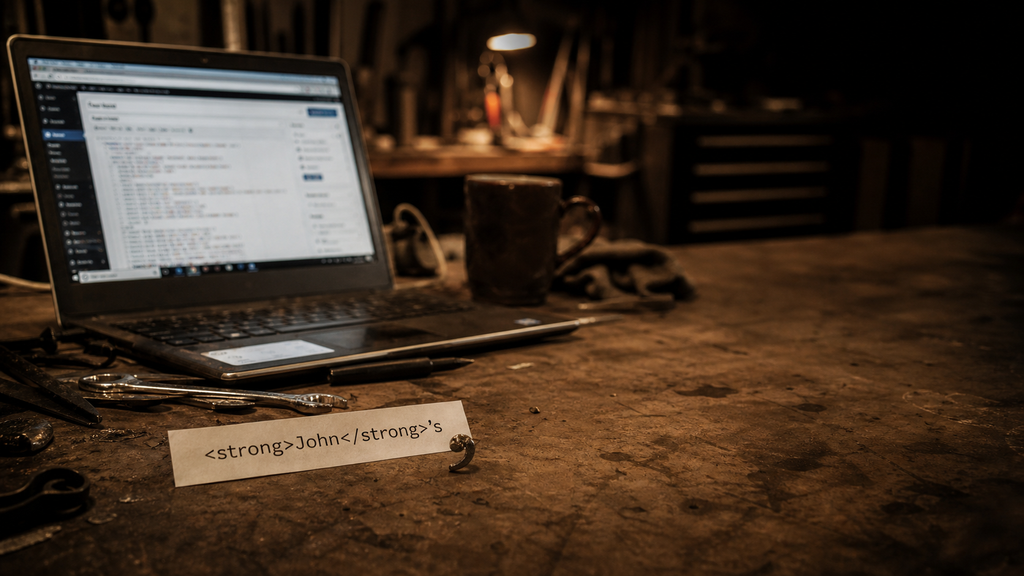
    He’s here.
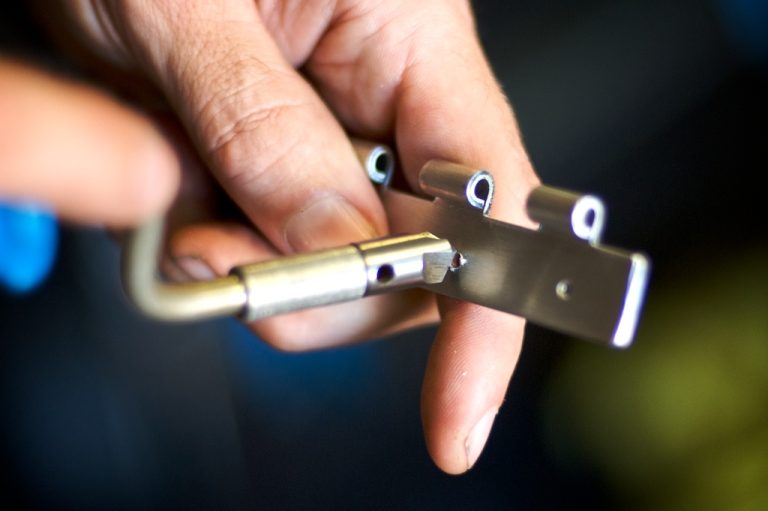
    Garage workbench with HTML markup and a curled metal apostrophe-shaped shaving beside an out-of-focus laptop.
    Generated editorial photo for “The apostrophe after the tag.”

    Both lines above are typed straight into the page by hand, so they hold still as a reference no matter what runs after them. The whole bug lives in the gap between them: one word, the same markup, a single character apart.

    This is not the block editor inventing punctuation. It is older than that. The culprit is wptexturize(), WordPress’s long-running output filter that turns straight quotes, dashes, ellipses, and a few other plain-text marks into nicer typography on the rendered page.

    Most of the time, that is what people expect from WordPress. You type plain punctuation. WordPress dresses it up. The trouble starts when the word is split by HTML.

    The word got cut in half

    wptexturize() does not look at rendered text the way a reader does. It works through the HTML string. To avoid changing things inside tags, it splits the string around markup.

    So this:

    <strong>He</strong>'s here.

    starts to look more like this internally:

    <strong> | He | </strong> | 's here.

    The final piece starts with 's. Since the filter can no longer see the e in He, it treats the straight quote as if it begins a quotation. The visible word says He's. The string pieces say: tag, text, tag, quote at the beginning of a new run.

    That is the whole bug: the word context fell through the tag boundary.

    Dan wrote about this years ago in Apostrophes and Quotation Marks. That post has the useful minimal shape:

    <strong>Test</strong>'s
    <em>Test</em>'s

    One snippet in the article appears to have a small typo — <strong>Test<strong>'s is missing the slash in the closing </strong> tag — but the point is right. A closing inline tag followed immediately by a straight apostrophe is enough to confuse the old text filter.

    The whole family of failures

    It is not only contractions. Any straight quote that lands right after a closing inline tag can take the wrong curl. These are the shapes people have actually filed since the original 2011 report — single and double closing quotes, possessives, quoted names, and quotes that bump into a block tag, an ellipsis, or non-English punctuation. The first column is what you write; the last two are typed by hand so they hold still:

    The shapeYou writeRenders nowShould be
    Possessive after a tag<strong>He</strong>'sHe‘sHe’s
    Contraction split by a tagrock</strong>'n'rollrock‘n’rollrock’n’roll
    Closing single quote after a link'<a>quoted</a>'.‘quoted‘.‘quoted’.
    Closing double quote after a link"<a>quoted</a>".“quoted“.“quoted”.
    Possessive after a quoted name<em>"John"</em>'s“John”‘s“John”’s
    Closing quote before a block tag"<a>else</a>"</p>“else““else”
    Closing quote before an ellipsis"<a>link</a>"…“link“…“link”…
    Closing quote before CJK punctuation"<em>引用</em>"。“引用“。“引用”。

    A few cousins are genuinely harder and stay out of scope: an opening quote right after CJK text, and elisions where the apostrophe sits before or inside the tag — <strong>l</strong>'homme, <strong>O</strong>'Neill, d<em>'</em>accord. Those are a different boundary problem, noted on the ticket but not fixed by the same rule.

    Why this belongs upstream

    Dirtbag could try to be clever here. It could disable wptexturize() entirely:

    add_filter( 'run_wptexturize', '__return_false' );

    That would be too much. It would change more than apostrophes: quotes, dashes, ellipses, primes, and old WordPress behavior people may rely on. A theme should not make that decision for a site.

    Dirtbag could also patch the rendered content after the fact, flipping &#8216; to &#8217; after certain inline closing tags. That is less blunt, but still a theme pretending to be a typography engine.

    The right place is WordPress core. There is already an old ticket for the broader bug: Core Trac #18549, “wp_texturize incorrectly curls closing quotes after inline HTML end tags.” The ticket has a long history, patches, duplicate reports, and the correct diagnosis: wptexturize() loses quote context around inline HTML.

    The modern block-editor version of the report showed up again as Gutenberg #42345. It was closed there for the right reason. Gutenberg cannot fix an output filter that lives in core.

    So now we’ve finally caught up with that old issue, and the LLMs are good enough to sort out such a thorny logic puzzle.

    The useful test

    The smallest issue revival comment is not another essay-length comment. It is a test.

    /**
     * @ticket 18549
     */
    public function test_apostrophe_after_inline_formatting_tag() {
        $this->assertSame(
            '<strong>He</strong>&#8217;s here.',
            wptexturize( "<strong>He</strong>'s here." )
        );
    }

    Then add the neighboring cases:

    <em>It</em>'s fine.
    <a href="#">Dan</a>'s truck
    <strong>rock</strong>'n'roll

    And do not overcorrect these:

    <strong>Note:</strong> 'quoted text'
    <strong>He said</strong> 'go'

    That distinction matters. When a closing inline tag is immediately followed by an apostrophe and a letter or number, and the visible text before the tag ended with a letter or number, it is probably a contraction or possessive. When there is a space after the tag, normal opening-quote behavior should still be possible.

    The Dirtbag lesson

    This is the same kind of bug as the floated-title problem: one default, one tiny inherited behavior, one layout or text result that looks supernatural until the small rule is visible.

    A theme like Dirtbag is supposed to stay close to WordPress. That is the bargain. Use core blocks. Use plain HTML. Avoid clever replacements. But staying close also means you get close enough to see the burrs.

    This apostrophe is one of them. Not dramatic. Not a crisis. Just a small wrong curl after a tag.

    Small wrong things are still wrong.
  • What the shoulder taught us

    What the shoulder taught us

    The first rule of Dirtbag was simple enough to write on the back of a gas receipt:

    Keep it small.

    No build step. No theme JavaScript. No stylesheet file pretending to be a lifestyle brand. No remote font with a passport. Plain pages, visible links, feeds, comments, and enough road grit to make the thing feel owned by a person instead of a launch committee.

    Then the theme went out for a drive and came back with better rules.

    1. Slogans leak

    “No JS” sounds clean until you look at an actual WordPress page. Core blocks are not cardboard cutouts. Navigation has to open. An overlay has to close. A lightbox has to trap attention without trapping people. Enhanced pagination still has to be pagination when the enhancement quits.

    The old slogan was pointing in the right direction, but it was too austere for the machinery underneath it.

    It’s amazing how much you can do without JS or CSS in a WordPress theme — without bringing in any extra CSS and JS in the time, that is. There’s no getting around either when you’re building with WordPress, but you’ll learn a lot if try to strip down to the simplest starting point.

    The honest truth is duller and stronger, but it’s not great for slogans: Dirtbag does not add its own front-end JavaScript dependency. Dirtbag does not enqueue its own stylesheet file. WordPress core may still bring CSS and JavaScript when core blocks need them. The browser may still do browser work. The document still has to stand when the extras fall away.

    That sentence will not fit on a bumpsticker, sadly.

    2. Core has weight

    Using core is not the same as using nothing.

    theme.json becomes CSS. Core block support becomes markup and styles. The Interactivity API is JavaScript, even when it arrives as an OEM part from WordPress instead of an aftermarket box from the parts store.

    That does not make it bad. It makes it reliable.

    The lesson is not “never use it.” The lesson is “name the owner.” If WordPress core owns the behavior and the fallback is a plain link, button, image, or document, the part might earn its keep. If Dirtbag has to import a second runtime, invent a private convention, or explain why the page is useless until hydration, the truck is overloaded.

    3. Exports lie in small ways

    The Site Editor is useful, but it is far from perfect. Exported templates can come back with local URLs, hard-coded theme slugs, or odd block bindings stuck to the bumper. Seed content can carry yesterday’s idea after today’s philosophy changed.

    So we learned to treat exports like parts from a swap meet: inspect them before installation.

    The package check is not glamour work. It looks for stale local addresses, broken block comments, bad nesting, and things that should have been cleaned before release. That is exactly the kind of boring tool a small theme needs.

    Not a build system. Not a dashboard. A flashlight!

    4. Accessibility is where philosophy pays rent

    A plain theme can still fail people.

    A caption can sit in a scrollable region that keyboard users cannot reach. A menu can look simple and still mishandle focus. A clever visual shortcut can flatten the document for somebody reading it a different way.

    That is why “we did not write the JavaScript” is not a release gate. It is trivia. The gate is whether the page works with a keyboard, a screen reader, a small viewport, slow patience, and scripts that may or may not arrive.

    Plain is not automatically accessible. Plain is just easier to audit when you have not buried the page under theater.

    5. The page is the product

    The best thing we learned is also the oldest thing on the web: the page is already the product.

    Not the framework. Not the tooling story. Not the perfect screenshot. Not the promise that a future version might carry a shinier library if the vibes are right.

    A page with a title, a date, a byline, some links, a feed, comments, and honest markup is not a fallback. It is the thing.

    Everything else is a part in the glovebox. Useful sometimes. Dead weight often. Worth carrying only when it gets the page farther down the road without leaving anybody in the ditch.

  • OEM parts, not aftermarket chrome

    OEM parts, not aftermarket chrome

    Dirtbag used to be easy to explain at the counter:

    No theme JavaScript. No theme stylesheet. No build step. Cash only. Coffee burned since 6 a.m.

    That is still mostly true, but mostly is where the honest work starts.

    WordPress is not an empty field. It is a machine with a lot of factory parts already bolted to the frame. Core blocks bring layout styles. Global styles turn theme.json into CSS. The Navigation block can bring an overlay. Query pagination can be enhanced. Images can open in a lightbox. Under some of that work sits the WordPress Interactivity API — Preact and signals, packed by core, riding in the same parts bin as the blocks.

    So the better Dirtbag line is this:

    Dirtbag does not ship a theme-owned front-end JavaScript dependency. It does not enqueue a theme stylesheet file. It uses the browser first, WordPress core second, and aftermarket chrome only after the job has a name and the fallback still works.

    That is less pure and more useful.

    The browser is already a tool

    A link already goes somewhere. A form already submits. A heading already divides the page. A list already lists. A table already needs headers, rows, and a caption before anybody starts making it “interactive.”

    Most websites do not need a tiny app pretending to be a document. They need the document to stop being embarrassed about itself.

    Dirtbag starts there. Let the browser carry what the browser was born carrying. Use plain links. Use feeds. Use comments. Use details and summary when a disclosure is enough. Keep the page useful before the script arrives, after the script chokes, and when the script was never invited.

    Core is the OEM part

    There is a difference between using the part that came with the truck and ordering a glowing spoiler from a catalogue.

    When a WordPress core block needs its own behavior to open, close, paginate, or keep an interface usable, that is not Dirtbag sneaking in a private framework. It is core doing core work. The cost is still real. The JavaScript is still in the browser. The accessibility still has to hold. But the dependency belongs to the platform we already chose.

    That is why the Interactivity API changes the conversation. If a core enhancement already uses the core runtime, Dirtbag should not pretend Alpine, Reef, VanJS, or some other handy little hitchhiker is the first stop. The first stop is still no runtime. The second stop is the core runtime already under the hood.

    Only after that do we talk about bringing another tool.

    No theme JavaScript is not no responsibility

    This is the part where the bumper sticker gets peeled off.

    “No theme JavaScript” does not mean “no JavaScript ever executes.” It does not mean the mobile menu is somebody else’s problem. It does not mean enhanced pagination gets a hall pass because core wrote the script. If Dirtbag chooses the block or opts into the enhancement, Dirtbag owns the test.

    Can you tab through it? Can you close it with the keyboard? Does the link still work when the enhancement does not? Does the image remain an image without the lightbox? Does the page still read like a page?

    If not, the OEM part did not earn the ride.

    The rule for the glovebox

    Keep the glovebox small.

    Carry HTML. Carry feeds. Carry visible links. Carry theme.json. Carry core blocks. Carry core behavior when it is already the right part for the job.

    Do not carry a second runtime because the first one was fashionable last week. Do not add a clever state machine to avoid writing a clearer document. Do not turn a small site into a kit car with seven manufacturers stamped under the hood.

    Dirtbag is not anti-JavaScript the way a sign in a diner is anti-fun. Dirtbag is anti-freight. Every part has to earn its weight, and the page has to get home if that part falls off on the shoulder.

  • The Glovebox Map

    The Glovebox Map

    Every theme has more roads than it shows on the front page. Here is the rest of Dirtbag’s map — the templates that do their work off the main route.

    (more…)
  • Idling near the gravel pit

    Idling near the gravel pit

    Rural speed, shed talk, hard chirps, and the suspicion that a simple job should stay simple.

    The truck is idling in the drive, the coffee is gas-station warm, and your site is finally doing its basic tasks without dressing them up as a product launch.

    Dirtbag is here for plain posts, visible links, comments, feeds, OPML, XFN, microformats, web-safe colours, and just enough CSS to keep the text from hugging the ditch.

    • RSS is visible.
    • Comments are open.
    • The blogroll has an OPML file.
    • The only JavaScript is WordPress core’s own — the theme’s stays in the glovebox.

    Somewhere under the hood, there is a rockabilly backbeat: slap bass, cheap chrome, and a rhythm section made of loose bolts.

    Outside, the sound of car tires coming down your gravel road…

    If a page can be a page, let it be a page.

    And get on with the writing!